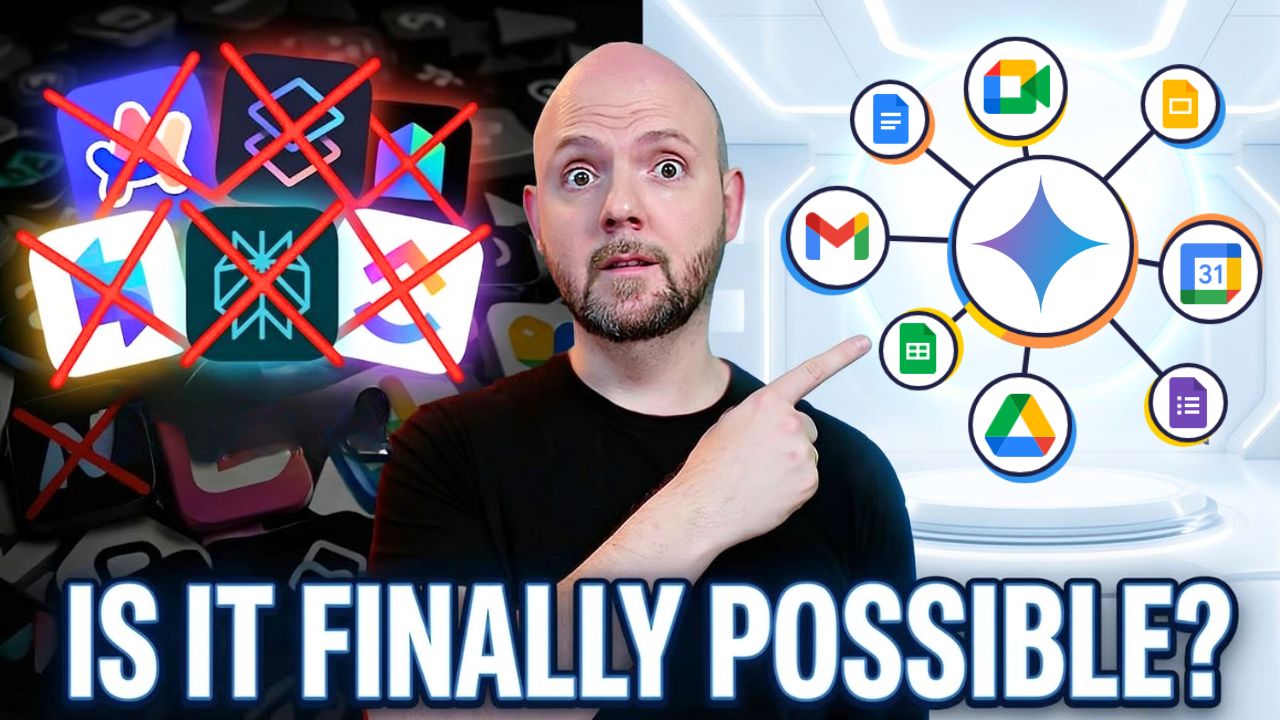



Google Workspace Has Everything for Productivity—Except One Thing
You’ve got Gmail, Google Docs, Google Sheets, Google Calendar, Google Drive… the whole suite. And yet, something still feels off.
You’re still asking “where was that?” You’re still chasing project updates across email threads and random Docs. You’re still wondering why your team isn’t on the same page despite having all these powerful tools.
Here’s the thing: Google Workspace is genuinely powerful. Everything is interconnected. But there’s one critical gap that’s holding your whole system back.
Let me show you exactly where each Google tool belongs in a complete productivity system—and what you need to add to finally make it work.
The ICOR® Framework: Where Every Tool Belongs
The easiest way to understand a productivity system end-to-end is using the ICOR® framework. It breaks down into four areas:
PKM (Personal Knowledge Management) — Your private notes, thoughts, and information that stays with you.
PPM (Personal Project Management) — Your personal tasks and time management.
BKM (Business Knowledge Management) — Shared information and documentation for the team.
BPM (Business Project Management) — Team projects, collaboration, and task coordination.
Another way to think about it: the top half is about information, the bottom half is about action. The left side is personal, the right side is shared with the team.
Now let’s map Google’s tools to this framework.
Mapping Google Workspace to ICOR®
Google Calendar → PPM (Personal Project Management)
Your calendar shows you where your time is actually committed. The meetings you need to attend. The time restrictions you’re working within.
I remember corporate days with eight hours of back-to-back meetings, then another two or three hours to do my actual work. That’s what the calendar reveals—the reality of your available time.
Here’s the key insight: Your task list is infinite. Your calendar is finite.
That’s why the calendar belongs in your personal project management space—it shows you what’s actually possible in a day.
Google Tasks → PPM (Connected to Calendar)
Google Tasks lives in the same personal space. And here’s where Google gets interesting—everything connects.
You can drag a task onto your calendar. Now you see your to-dos alongside your meetings. Your tasks show up against your actual time restrictions. That’s powerful.
Google Keep → PKM (Personal Knowledge Management)
Google Keep is your personal notes tool. Quick thoughts, private ideas, things you don’t share with the team.
And it connects too. Set a reminder in Google Keep? It shows up in Google Tasks. Now your notes system feeds into your task system. Everything starts flowing together.
Google Docs → PKM/BKM Overlap
Here’s a distinction most people miss.
If you’re in a meeting and you write down that you want to fire the guy sitting next to you—you probably don’t put that in a shared document for everyone to see. That goes in your personal notes. That’s PKM.
But meeting minutes, summaries, shared documentation? That’s BKM—Business Knowledge Management. It gets shared with the team.
Google Docs can live in either space, or the overlap between them. The question is: who needs to see this?
Gmail → The Triple Overlap
Gmail touches almost everything. You receive newsletters (PKM). You get team communications (BKM). You work through action items in your inbox (PPM).
And here’s what’s amazing: Gmail integrates with Google Tasks too. Select an email, make it a task, and now you see that follow-up within the bigger picture of your time restrictions.
Your inbox is essentially a task list itself. With proper triage, you can actually hit inbox zero every day.
Google Drive → BKM (The Central Hub)
Google Drive is where team information lives. Your shared documents, meeting recordings, transcripts—everything accessible in one place.
Google Meet recordings automatically save to Drive. Meeting transcripts generate as Google Docs. Google Sheets and Slides all live on Drive. It becomes your central repository for business knowledge.
Google Chat → BKM (Communication Layer)
Google Chat belongs in Business Knowledge Management as your team communication tool.
But here’s where it gets dangerous. Some people use Chat for everything—project management, personal tasks, team communication. If Chat ends up in the center of your ICOR® framework, touching all four quadrants, that’s a warning sign.
It means you’re using one tool for too many purposes. And communication tools make terrible project management systems.
Google Meet → Utility App
Google Meet connects to Drive (recordings) and Docs (transcripts), but it’s essentially a utility tool. You use it for a specific purpose—meetings—but you’re not storing anything in it directly.
Same goes for Google Forms. Powerful utility tool that feeds into Sheets or Docs, but it’s not a core system component.
The Gap Nobody Talks About
So where does all this leave us?
Look at the BPM quadrant—Business Project Management. The space where team projects actually get coordinated. Where tasks get assigned, priorities get set, and everyone sees the same source of truth.
It’s empty.
Google Workspace has no dedicated project management tool.
They tried with Google Tables. It failed. They removed it.
Microsoft at least has Microsoft Planner (even if it’s suboptimal). Google has nothing.
And this is the gap that kills productivity for Google-only teams. Without a dedicated project management tool, people start improvising:
- Project updates happen in Gmail threads
- Task lists live in random Google Sheets
- Status conversations scatter across Chat and Docs
- Nobody knows the real priorities
You end up with three or four places where “projects” get managed. And now it’s on people to mentally track everything across all these apps.
That’s not a system. That’s chaos pretending to be organized.
The Fix: Add One Tool
If you want to stay in the Google ecosystem, you have two options:
Option 1: Use Google Sheets with templates for basic project management. Not ideal, but it keeps you in one ecosystem.
Option 2: Add one dedicated project management tool.
This could be ClickUp, Asana, Monday, Linear—whatever suits your team best. The specific tool matters less than having a tool that serves as your single source of truth for projects.
The good news? These tools connect to everything Google offers. Calendar syncs. Gmail integrates. Drive links. You get all the power of Google’s interconnected ecosystem, plus an actual place to coordinate work.
This becomes your single point of contact for anything project-related. No more hunting through email threads. No more “which Sheet was that in?” No more duplicate status updates.
The AI Layer: Where Google Gets Interesting
Now let’s talk about what Google does really well: AI integration.
Google Gemini is becoming available across the entire workspace. You can use it in Docs, Sheets, Gmail, even Google Chrome. It’s embedded everywhere.
And NotebookLM—which used to be isolated—now connects through Gemini. Ask Gemini a question, and it can pull context from your NotebookLM notebooks.
This is where the interconnected ecosystem pays off. When everything flows together and AI has access to your full business context, you get genuinely informed responses.
But here’s the catch: All of this is nonsense if you don’t have a tool-agnostic system in place first.
If you don’t understand what each tool is actually for, if you don’t have clear boundaries between information and action, personal and team—you’re just adding AI to chaos.
Get the foundation right. Then the AI layer becomes genuinely powerful.
The Bottom Line
Google Workspace is incredibly capable. The interconnectivity is real—tasks show up on calendars, emails become tasks, meeting recordings auto-save with transcripts. It’s impressive.
But that one missing piece—dedicated project management—creates a gap that undermines everything else.
The fix is simple: keep using Google for what it does brilliantly (information, communication, individual productivity), and add one dedicated tool for team project coordination.
That’s when you finally have a complete productivity system. Information flows. Action happens. And everyone actually knows what’s going on.
What do you use for project management with Google Workspace? Have you felt this gap too?
If you want to go deeper into tool-agnostic project management systems, check out our ICOR® Journey where we break down exactly how to build these systems regardless of which specific tools you choose.